Account takeover rarely looks dramatic. There is no malware alert, no ransom note. An employee approves a push notification they did not request, a reused password appears in a breach dump, or a session cookie is stolen by a phishing page that looked exactly like the real login. By the time anyone notices, the attacker is inside email, cloud storage or the payment dashboard.

The fix is not a single product. It is a login stack: strong authentication, sensible session rules, recovery that cannot be social-engineered and admin accounts that are treated differently from everyday ones. This guide explains the options and gives a rollout order that works for a small organisation.
Know what you are defending against
Credential stuffing. Attackers replay email and password pairs from old breaches. If one employee reused a password, the account falls without any interaction.
Phishing. A fake login page collects the password and, increasingly, the one-time code or session token in real time. Standard MFA does not stop a well-built phishing proxy.
Push fatigue. An attacker repeatedly triggers approval prompts until someone taps "approve" out of annoyance. Number matching helps; it does not eliminate the problem.
SIM swap. A carrier is persuaded to move a phone number to a new SIM, and SMS codes follow. This is less common than phishing but devastating when it happens.
Session theft. Malware or a malicious extension steals a browser cookie, bypassing the login entirely. Session lifetime and device controls matter here.
The MFA ladder
Think of authentication methods as a ladder. Each rung removes more risk, but only if it is actually used and recoverable. A strong method with a broken recovery process is a support ticket waiting to become an incident.
| Method | Stops credential stuffing | Stops phishing | Main weakness |
|---|---|---|---|
| SMS code | Yes | Partly | SIM swap, interception, usability abroad |
| Authenticator app (TOTP) | Yes | No | Codes can be phished in real time |
| Push notification with number matching | Yes | Partly | Push fatigue, compromised device |
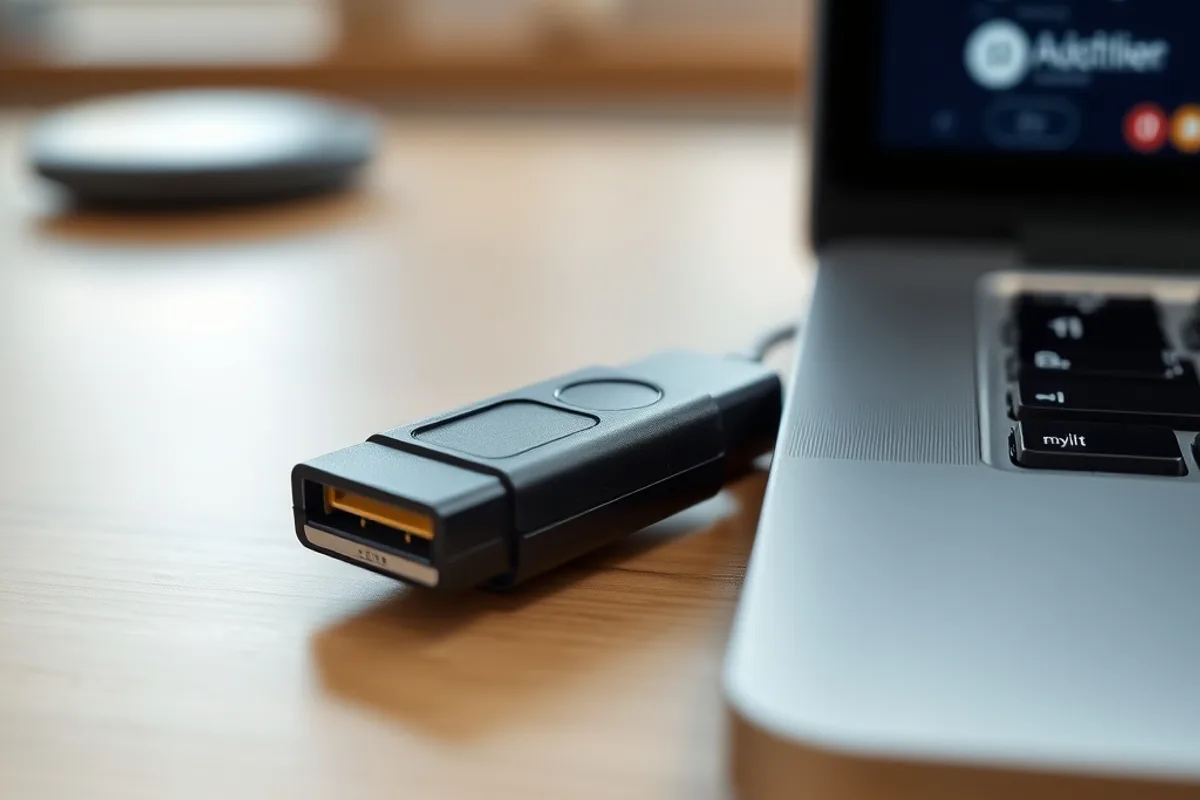
| Hardware security key (FIDO2) | Yes | Yes | Cost, lost keys, USB-C versus USB-A |
| Passkey (synced or device-bound) | Yes | Yes | Ecosystem lock-in, account recovery |
Why passkeys are different
A password is a shared secret. Both you and the server know it, which means it can be stolen from either side, guessed, reused or phished. A passkey is a key pair: the private key stays on your device or in your password manager, and the server only stores the public key. There is nothing reusable to steal from the server, and a phishing site cannot use a signature meant for the real domain.
In practice, signing in becomes a biometric check or device PIN. The browser or platform handles the cryptography. For most employees this is faster than typing a password and waiting for a code, which makes adoption easier than security teams expect.
Roll out in the right order
- Inventory the accounts. List every service that holds company data or money, who administers it and whether it supports passkeys, hardware keys or at least TOTP.
- Protect email and identity first. Email is the reset path for everything else. Your identity provider, domain registrar and password manager come next.
- Move administrators to phishing-resistant auth. Require hardware keys or passkeys for admin roles. Remove SMS as a fallback for these accounts where the provider allows it.
- Enable passkeys for everyone else. Allow synced passkeys first; they are easier to adopt than device-bound keys. Keep a hardware key path for people who prefer it.
- Harden recovery. This is the part most rollouts skip. Define how someone proves who they are after losing a device, and make that process resistant to a convincing phone call.
- Clean up the old methods. A strong method with an unused SMS fallback is only as strong as the fallback. Remove legacy options when the provider permits it.
Recovery is the hard part
Attackers go where the resistance is lowest. If passkeys make login difficult, they will target the help desk instead: a caller claims to have lost a phone, provides a few personal details from a breach and asks for a reset. A rushed recovery process undoes the entire stack.
Use a second factor that is independent of the first, such as a video call with a manager, a pre-registered recovery key stored offline, or an in-person check for high-risk roles. Document the process, limit who can approve it and log every exception. Never let a single support agent reset an administrator account on their own.
What about shared accounts?
Shared logins are a recovery nightmare and an audit failure. Move to named accounts with role-based access. Where a shared service account is unavoidable, put it in a password manager with access logging, restrict who can retrieve it and rotate the credential when someone leaves.

Session and device hygiene
Authentication is only the front door. Configure session lifetimes that match the sensitivity of the app: short for finance and admin tools, longer for low-risk collaboration. Require re-authentication for sensitive actions such as changing a bank account or exporting customer data. Review active sessions monthly and revoke anything unfamiliar.
Enable device posture checks where available: disk encryption, screen lock, minimum OS version. For remote teams, a stolen laptop with an open session is a bigger risk than a forgotten password.

Common mistakes
Turning on MFA and calling it done. MFA reduces risk; it does not eliminate phishing or session theft. Pair it with passkeys and sensible session rules.
Keeping SMS as a universal fallback. It is better than nothing for low-risk accounts, but it should not be the recovery path for administrators.
No inventory. You cannot protect accounts you do not know exist. Shadow IT is where takeovers often start.
Testing only the happy path. Walk through a lost phone, a new laptop and a departing employee before you need to.
Blaming the employee. If the process makes the secure option slow or confusing, people will work around it. Design for the busy day, not the quiet one.
Are passkeys safe if my phone is stolen?
The key is protected by the device's secure hardware and usually requires a biometric or PIN. A thief with the unlocked phone is a different problem, which is why screen locks and remote wipe matter. Synced passkeys can be recovered through your platform account, so protect that account strongly.
Should we disable passwords entirely?
Only when every user has a working passkey and a tested recovery path. Most organisations should run passkeys and passwords in parallel during a transition, with a plan to retire passwords for administrators first.
Do passkeys work across devices?
Synced passkeys work across devices in the same ecosystem. Cross-platform access may rely on scanning a QR code with a phone. For shared workstations or field devices, hardware keys are often simpler.
The bottom line
The strongest login stack in 2026 is boring: named accounts, a password manager, phishing-resistant authentication for administrators, passkeys for everyone else, short sessions and a recovery process that assumes someone will try to talk their way in. Implement it in that order and the biggest risks fall first.
Start with the accounts that can reset everything else. Then make the everyday login easier as well as safer. Security that people choose willingly beats security that people route around.